Tag: anamorphic lenses

  • DJI Osmo Pocket 3 Gets a Game-Changing Firmware Update!

    DJI Osmo Pocket 3 Gets a Game-Changing Firmware Update!

    Are you a vlogger, filmmaker, or just someone who loves capturing amazing videos? If so, DJI has just dropped a must-have firmware update (v01.06.08.04) for the DJI Osmo Pocket 3—and trust us, you’ll want to check this out! This update brings better zoom, smoother focus, and pro-level color enhancements. Let’s break it down!

    What’s New? Let’s Find Out!

    Q: Can I get closer to my subject without losing quality?

    A: Yes! Say hello to the brand-new Med-Tele Mode. With 2x mid-telephoto zoom at a 40mm focal length, you can now frame your shots more precisely—without sacrificing 4K ultra-HD quality. Unlike regular digital zoom that lowers resolution, this mode keeps all the crisp details intact. Just tap the <> icon in Video mode to activate it! Keep in mind that ISO maxes out at 1600, and ActiveTrack isn’t supported in this mode.

    Q: What about focus? Does this update make it better?

    A: Absolutely! DJI has introduced breathing compensation, a feature that makes focus transitions much smoother and more natural. No more weird distortions when shifting focus between subjects—your shots will look seamless and professional. This is a total game-changer for creators who love using focus pulls or tracking moving subjects!

    Q: I use my Osmo Pocket 3 as a webcam—anything exciting for me?

    A: Yes! If you’re live streaming, video conferencing, or filming content, D-Log M (10-bit) color is now available in Webcam Mode. This means wider dynamic range, richer colors, and more flexibility in editing. Your visuals will look incredibly vibrant and true to life.

    Q: Has the DJI Mimo app improved too?

    A: You bet! The DJI Mimo app (now version 2.2.2) has gotten some major usability boosts:

    • Background file downloads: No more waiting! Continue using the app while your content transfers.
    • Video screenshots: Capture frames from your videos as still images or live photos. (Feature availability depends on your device—Apple, Samsung, Xiaomi, vivo, and OPPO users, take note!).

    Q: Any other improvements I should know about?

    A: DJI has also squashed some bugs and fine-tuned overall stability and performance. This means a smoother, more reliable experience, so you can focus on creating, not troubleshooting!

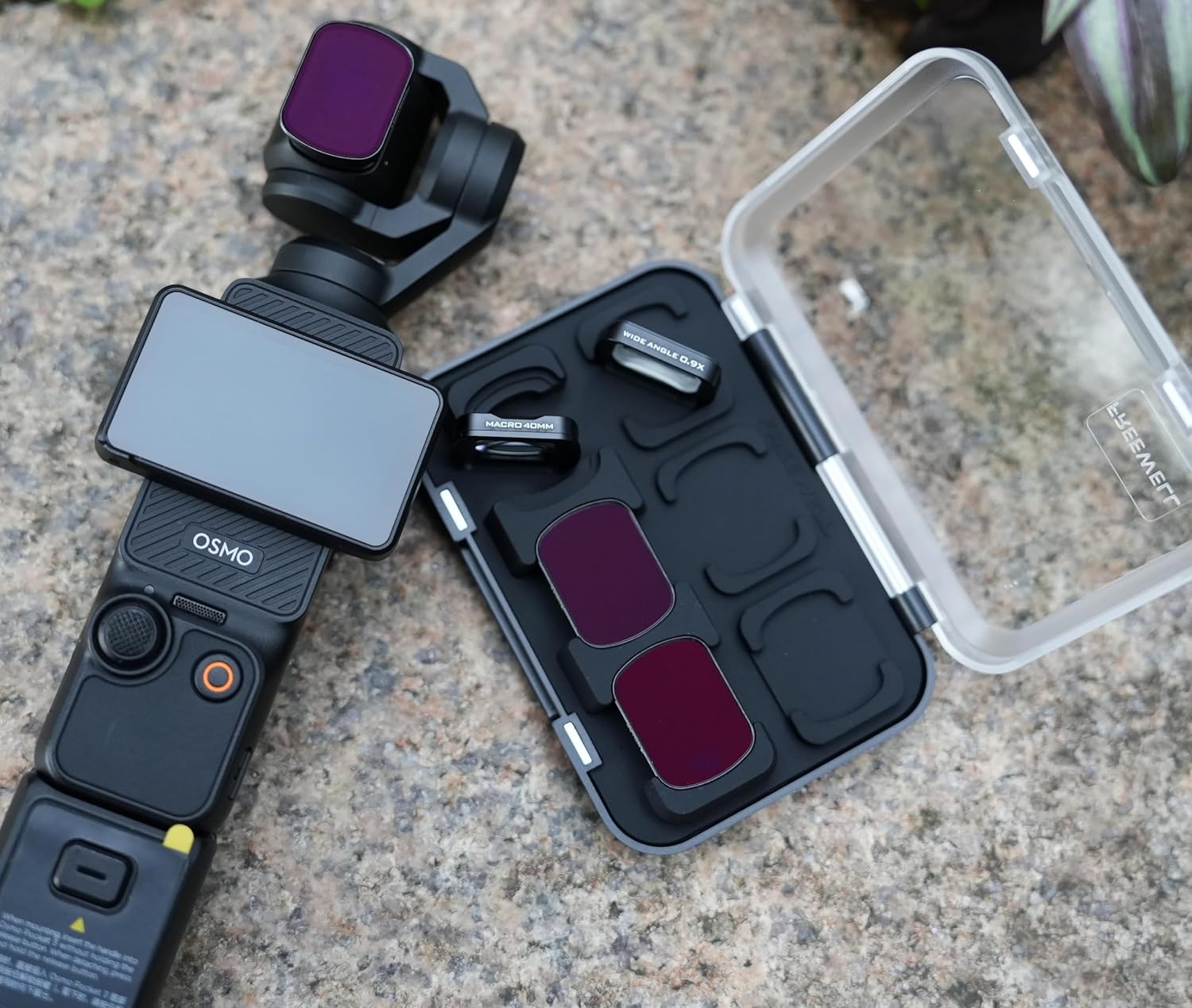
    Freewell offers a wide range of high-quality filters and lenses tailored to meet your needs. Lightweight, durable, and easy to use, these accessories are perfect for content creators looking to push the limits of their DJI Osmo Pocket 3 or other cameras.

    Freewell lenses and filters for the DJI Osmo Pocket 3 are like a wonderful pair of sunglasses for your camera. They enhance your view, reduce unwanted glare, and bring your shots into focus with crystal-clear precision. Whether you’re capturing vibrant landscapes or sharp close-ups, these accessories give your footage a professional touch, elevating the Osmo Pocket 3 to new creative heights.

    Final Thoughts: Is This Update Worth It?

    100% YES! This firmware update makes the Osmo Pocket 3 even more powerful, giving you better zoom, smoother focus, pro-level color options, and a more seamless app experience. If you haven’t updated your firmware yet, what are you waiting for? It’s time to unlock the full potential of your Pocket 3! 🚀

    Source Credit: 1

  • A Basic Guide to Anamorphic Lenses in Filmmaking

    A Basic Guide to Anamorphic Lenses in Filmmaking

    Creating a masterpiece involves making challenging decisions, and for filmmakers, anamorphic lenses play a crucial role in achieving the desired cinematic appearance. These lenses are a staple in every filmmaker’s toolkit.

    Before delving further, let’s establish what an anamorphic lens is? Professional cinematographers opt for anamorphic lenses due to their ability to provide an ultra-wide rectangular aspect ratio, create extended horizontal flares, and alter the size of an image while compressing it onto a narrow sensor.

    anamorphic lenses

    Anamorphic lenses are frequently employed to attain an epic cinematic look, even with a regular camera capable of capturing the 2.39:1 aspect ratio. Cinematographers appreciate the horizontally stretched lens flare that resembles light strips.

    Here are a few additional considerations:

    1. Anamorphic lenses produce blue-colored vertical or horizontal lens flares.
    2. They are larger and heavier than regular lenses.
    3. Ideal for use in well-lit settings.
    4. Anamorphic lenses are intricate and costly.
    5. Vertical lines may be distorted by anamorphic lenses.

    Shooting with an anamorphic lens differs significantly from other types, requiring thorough planning. Explore new lenses and understand their interaction through online tutorials.

    For flare shots, shoot directly into the light, or for a softer flare, shoot from the side with light focused toward the image’s edges. Consider the impact of flare on your shot and strategically incorporate it or hide it behind objects for a distinctive aesthetic.

    Anamorphic Photography Tips:

    1. Ensure the flare is correct.
    2. Pay attention to the transition between lens flares.
    3. Prepare your shot.
    4. Focus on the focal point and frame edges.
    5. Stabilize after finding the proper angle.

    Capture cinematic-style shots by using anamorphic lenses, which are now compatible with DSLR and mirrorless cameras, as well as smartphones. Master manual focus, and learn to adjust ISO, aperture settings, and focal length.

    Anamorphic lenses produce a shallower cinematic depth of field with a larger aspect ratio, enhancing image quality. The cubic or oval bokeh and lights in anamorphic videos create a lighter and airy cinematic aesthetic, while anamorphic flares add a stylish touch.

    Filmmakers should understand the technical aspects influencing the final appearance of their work. Consider the size and weight of anamorphic lenses, decide between single or dual focus, and explore compatibility with digital SLR cameras and prime lenses before embarking on your cinematic journey.

  • Anamorphic Lenses in iPhone Photography | Unlocking Cinematic Magic

    Anamorphic Lenses in iPhone Photography | Unlocking Cinematic Magic

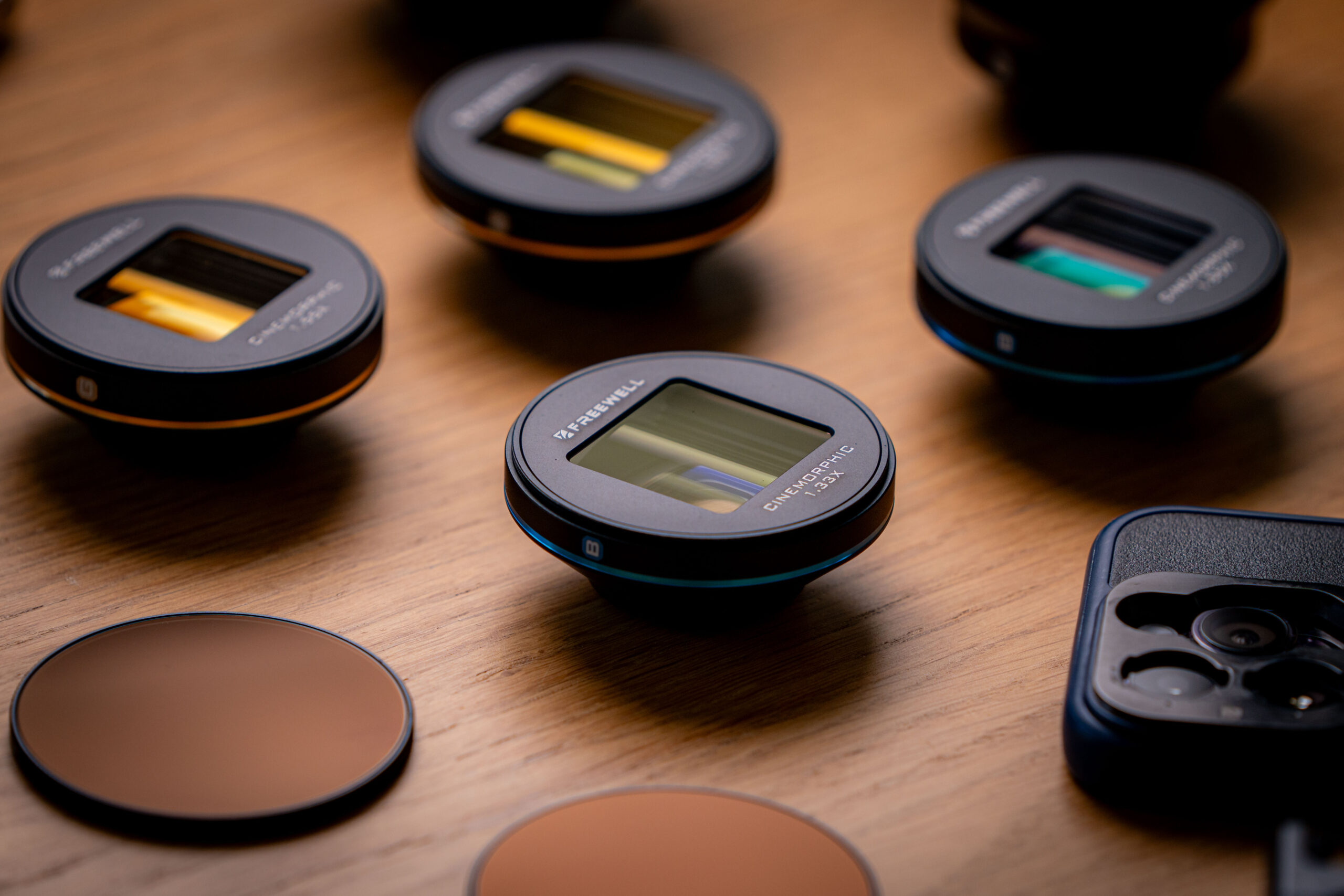
    Anamorphic lenses have long been the secret sauce behind those captivating widescreen visuals in the world of filmmaking. But did you know that these magical lenses have made their way into the world of smartphone photography? We’ll delve into what an anamorphic lens is, explore its purpose and applications, and uncover the mesmerizing results it can deliver in the smartphone category.

    What Is an Anamorphic Lens? An anamorphic lens is a specialized optical device that squeezes or compresses the image horizontally during capture and then stretches it back to its original proportions during playback. The key characteristic of an anamorphic lens is its ability to create a widescreen aspect ratio, typically 2.39:1 or 2.40:1, resulting in those iconic, cinematic visuals.

    Why Are Anamorphic Lenses Used?

    1. Cinematic Aesthetics: Anamorphic lenses are primarily used to achieve a distinct cinematic look. They provide that immersive, larger-than-life quality that we associate with movies.
    2. Striking Lens Flares: Anamorphic lenses are renowned for producing beautiful and mesmerizing lens flares, often in the shape of ovals. These flares add an artistic touch to the imagery and enhance visual storytelling.
    3. Widescreen Aspect Ratio: Anamorphic lenses allow filmmakers and photographers to capture a wider field of view, making them ideal for shooting sweeping landscapes, epic scenes, or creating a sense of grandeur.

    Where Are Anamorphic Lenses Used?

    Filmmaking: Anamorphic lenses have a rich history in the film industry, where they are used to create cinematic magic. Directors and cinematographers often choose anamorphic lenses to bring a unique aesthetic to their projects.

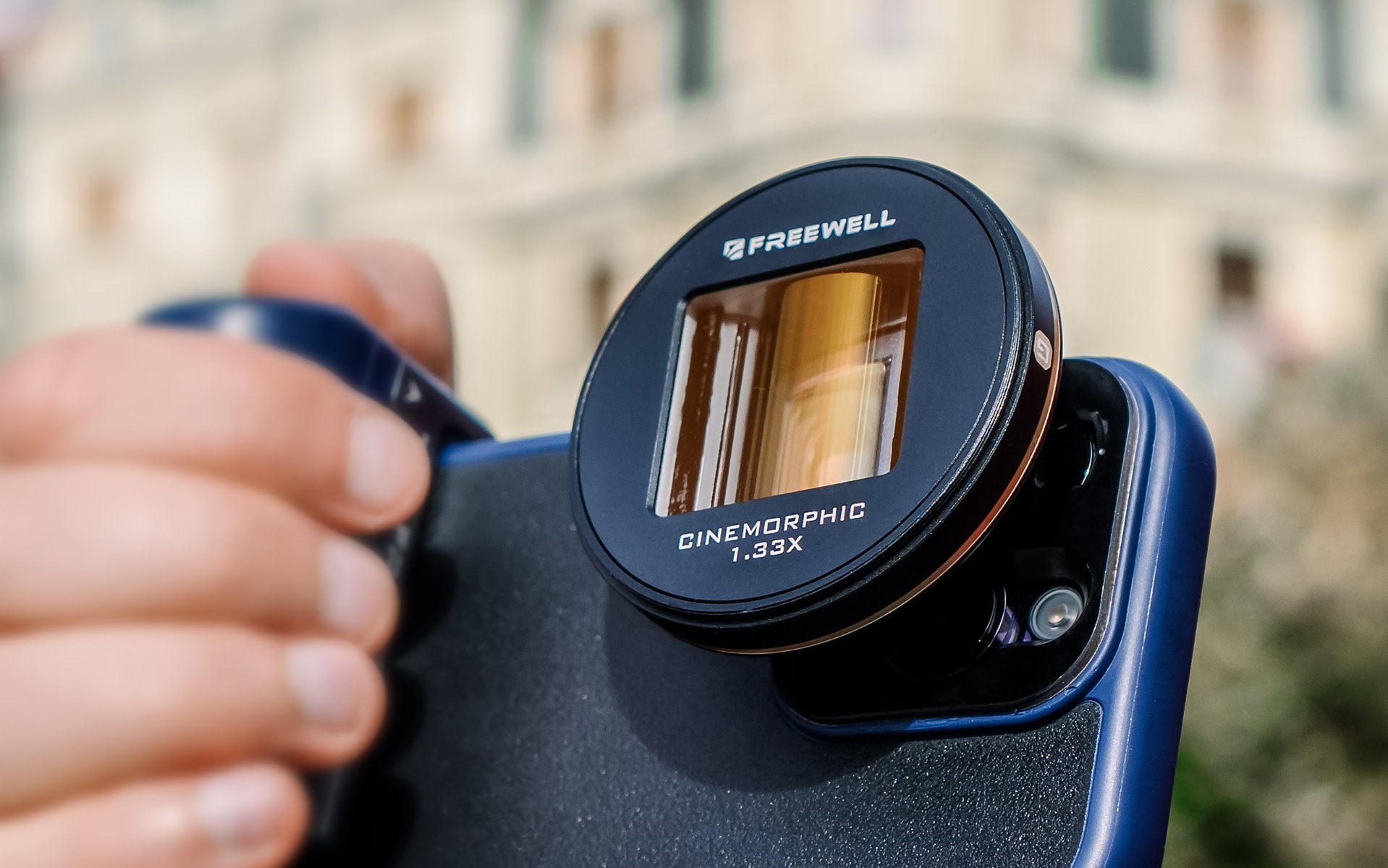
    Smartphone Photography: The use of anamorphic lenses in smartphone photography has gained significant popularity in recent years. Mobile photographers looking to elevate their work and infuse it with cinematic aesthetics are increasingly turning to anamorphic lenses.

    Results of Using Anamorphic Lenses in the Smartphone Category: When you attach an anamorphic lens to your smartphone, you can expect to achieve the following results:

    iPhone Photography

    iPhone Photography

    Cinematic Excellence: Your smartphone captures visuals with a cinematic quality that rivals professional cameras.

    Artistic Lens Flares: The mesmerizing oval-shaped lens flares add a touch of artistry to your photos and videos.

    Widescreen Mastery: Anamorphic lenses deliver a widescreen aspect ratio that makes your smartphone shots feel larger than life.

    Elevated Storytelling: The overall effect of anamorphic lenses enhances your storytelling, making your visuals more immersive and engaging.

    The use of anamorphic lenses in smartphone photography is a game-changer. These lenses offer the opportunity to capture cinematic excellence right from your pocket. With mesmerizing lens flares, widescreen visuals, and immersive storytelling capabilities, anamorphic lenses are transforming smartphone photography. So, if you’re a mobile photographer seeking to unlock cinematic magic, consider adding an anamorphic lens to your photography toolkit. Your smartphone camera is about to embark on a cinematic journey you never thought possible.

    IPHONE CINEMATOGRAPHY WITH INNOVATIVE LENS AND FILTER SYSTEM

    GRAB NOW!

  • WHAT YOU SHOULD KNOW ABOUT ANAMORPHIC LENSES

    WHAT YOU SHOULD KNOW ABOUT ANAMORPHIC LENSES

    To produce a masterpiece, a creator must make difficult decisions, which is where anamorphic lenses come in handy. Anamorphic lenses are the preferred method of achieving the desired appearance in the shot for every filmmaker. Any filmmaker’s backpack should have anamorphic lenses.

    freewellgear

    Before we go any further, let’s define an anamorphic lens. All professional cinematographers employ anamorphic lenses because they provide an ultra-wide rectangular aspect ratio, lengthy horizontal flares, and modify the size of a picture while also squeezing that image onto a narrow sensor.

    Cinematographers frequently use anamorphic lenses to achieve an epic cinematic appearance. Even a regular camera can catch the 2.39.1 aspect ratio. Many cinematographers use it because it produces horizontally stretched lens flare that might appear as light strips.

    There are a few more things to consider.

    • Anamorphic lenses produce vertical or horizontal lens flare that is blue in color.
    • Anamorphic lenses are bigger and heavier than regular lenses.
    • They should be used in well-lit settings.
    • Anamorphic lenses are complicated and costly.
    • Vertical lines are frequently distorted by anamorphic lenses.

    Shooting Anamorphic:

    freewellgear

    Shooting with an anamorphic lens is significantly different from other types, as it necessitates a great deal of planning. Spend some time looking for new lenses. Learn how they interact with your camera. Learn how to use anamorphic lenses using online tutorials.

    Shoot directly into the light if you require a flare shot; for a softer flare, shoot from the side or have the light focused towards the image’s edges. Remember that flare can detract from the real image, so think about it before you shoot. Consider making the lens flare appear or hiding it behind an object and then making it appear again for an organic and unique aesthetic.

    Anamorphic photography tips

    • Make sure the flare is correct.
    • The transition between lens flares
    • Prepare your shot.
    • Pay attention to the focal point and the frame’s edges.
    • Stabilize after you’ve found the proper angle.

    Capture cinematic-style shots: Anamorphic lenses magnify your photographs, giving them a unique appeal. Anamorphic lenses can now be used with DSLR and mirrorless cameras, as well as iPhones and other mobile devices. It gives the out-of-focus part a distinct appearance.

    Anamorphic photography: It’s important to know if you should mount anamorphic lenses directly to your camera body or use an over-the-lens adapter. Set your camera’s focus on your subject, then attach the anamorphic lens and refocus. Use a tripod to keep your shots stable. Because autofocus isn’t compatible with anamorphic lenses, you’ll need to practice until you’ve mastered manual focus. Learn how to modify ISO, aperture settings, and focal length from your tutor.

    With a larger aspect ratio, anamorphic lenses produce a shallower and cinematic depth of field, which improves image quality.

    As a filmmaker, it’s important to understand the technical aspects that contribute to the final product’s appearance. The bokeh and lights are cubic or oval in the anamorphic video, giving it a lighter and airy cinematic aesthetic. Anamorphic flares provide you a stylish style. So, before you start shooting, here are a few pointers on how to choose the correct anamorphic lenses.

    1. Take into account the size and weight of the item.
    2. Do you want a single or dual focus?
    3. Digital SLR cameras and prime lenses