Tag: mirrorless camera

  • iPhone vs Mirrorless Camera: iPhone 18 Pro Max vs Sony ZV-E10 II Tested

    iPhone vs Mirrorless Camera: iPhone 18 Pro Max vs Sony ZV-E10 II Tested

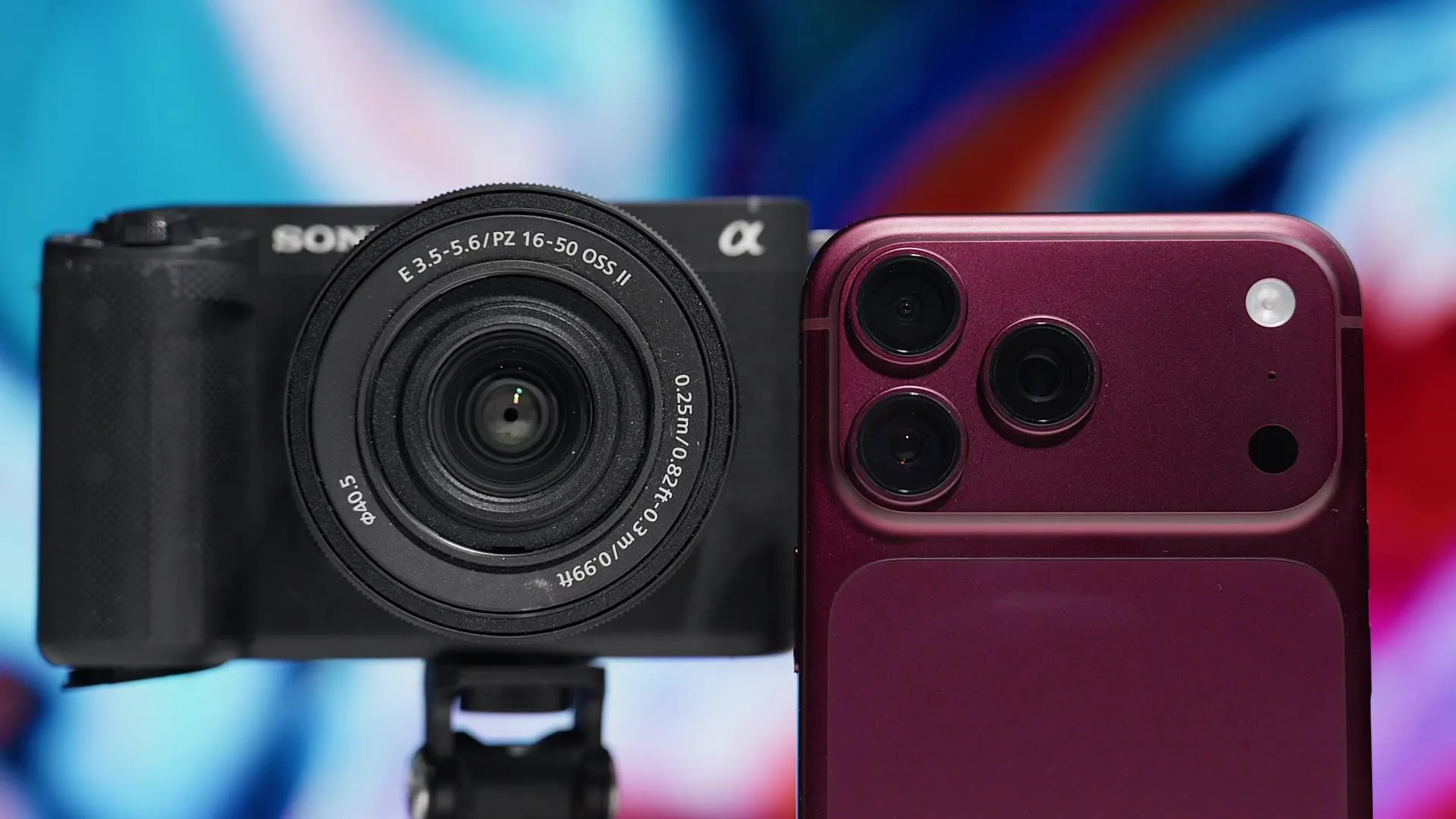
    Freewell presenter holding the Sony ZV-E10 II and the iPhone 18 Pro Max side by side

    Blind test · Valencia, Spain

    $1,300 phone.
    $1,300 camera.

    iPhone 18 Pro Max vs Sony ZV-E10 II, tested side by side for video, low light, background blur, stabilization and photos.

    Two clips of Valencia’s Central Market play side by side. Same ornate tiled facade, same blue sky, same crowds drifting past the doors. One was shot on a $1,300 Sony mirrorless camera. The other came from a phone.

    Can you tell which is which? At a glance, most people can’t.

    That blind test opens our latest YouTube comparison, and it sets up the question a lot of you are asking right now: should you spend $1,300 on an iPhone 18 Pro Max, or on a Sony ZV-E10 II with its kit lens? We filmed both around Valencia, from the market at midday to the old town at night, to find out where each one actually wins.

    $1,300Each, as tested
    0.5x to 8xiPhone zoom range vs a 16-50mm kit lens
    8 h vs 2 h4K recording per charge in our test

    Is an iPhone better than a mirrorless camera?

    Not across the board, and that is the interesting part.

    The iPhone 18 Pro Max won on stabilization, zoom range, battery life, heat and sheer convenience. In ProRes RAW it even out-resolved the Sony kit lens. The Sony ZV-E10 II fought back with natural background blur, cleaner low light texture once we added a fast lens, far better selfie video, and the freedom to swap lenses.

    The short answer

    Neither one wins everything.

    Film on the move, travel light or vlog? The iPhone is the easier tool. Want a dedicated video camera that gets better every time you buy a lens? Start with the Sony.

    iPhone 18 Pro Max vs Sony ZV-E10 II: size and price

    Pick them up together and the first surprise is how small the Sony is. With the kit lens on, it is only a little thicker than the phone and slips into a jacket pocket. It does weigh twice as much, about 500 g against 250 g.

    Both cost about $1,300, but neither stays there. Log and ProRes files fill a 256GB iPhone fast, so we would buy 512GB. On the Sony, spend that money on a faster lens. The totals still end up close.

    The phone

    iPhone 18 Pro Max

    Price as tested
    About $1,300 (256GB)
    Weight
    About 250 g
    Lens range
    0.5x to 8x
    Stabilization
    Excellent, plus Action Mode
    Log and RAW
    Apple Log 2, ProRes RAW
    Slow motion
    4K 120 on 1x and 2x
    4K per charge
    Around 8 hours

    Wins onStabilization, zoom, battery, heat, open gate, convenience

    The camera

    Sony ZV-E10 II

    Price as tested
    About $1,300 with kit lens
    Weight
    About 500 g
    Lens range
    16-50mm f/3.5-5.6, swappable
    Stabilization
    Lens only, gyro data for post
    Log
    S-Log3, 10-bit
    Slow motion
    4K 120 with 1.5x crop
    4K per battery
    Up to about 2 hours

    Wins onBackground blur, low light with fast lenses, selfie video, lens choice

    Which has better video quality?

    Straight out of the camera, the footage is remarkably close. The iPhone pulls out a touch more detail, but you can see the sharpening on every edge. If you like that crisp look, you can add it to Sony footage in post. You cannot easily remove it from iPhone footage.

    Apple Log 2 vs S-Log3: which has more dynamic range?

    Call it a draw. We pointed both cameras at the market facade in bright sun, with deep shade under the trees and people walking in and out of it. Neither blew out the sky. Both held the shadows, with a little noise hiding in the darkest corners.

    Where they split was sharpness. Shooting Apple Log 2 in the Blackmagic Camera app, the iPhone image simply looked crisper, because the Sony kit lens is soft.

    Dynamic range test comparing Sony S-Log3 and iPhone 18 Pro Max Apple Log 2 at a market in Valencia
    Look at the sky and the shaded doorways: S-Log3 on the Sony (left) and Apple Log 2 on the iPhone (right) hold almost identical dynamic range.

    Is ProRes RAW on the iPhone worth it?

    If you care most about image quality, yes. This is the best footage the iPhone can produce, and some shots from our test genuinely look like they came off a cinema camera.

    You also get control after the shoot. ISO, white balance, color noise and sharpening can all be changed in post. The catch is file size: ProRes RAW eats storage, so budget for more space or an external SSD.

    Does the iPhone zoom beat a camera kit lens?

    Against the 16-50mm kit lens, easily. The Sony lens covers about 24mm to 75mm equivalent and gets darker as you zoom, sliding from f/3.5 to f/5.6. The iPhone goes from a 0.5x ultra wide all the way to 8x. The range is a little crazy for something that fits in your hand.

    We matched framing with the Sony at 50mm plus Clear Image Zoom (about 112mm equivalent) against the iPhone 4x camera. The kit lens looked soft. In ProRes RAW, the iPhone pulled so far ahead that the comparison stopped being close.

    One more iPhone advantage: open gate. The Blackmagic Camera app records the full 4:3 sensor, so you can cut vertical and horizontal versions from one clip, or pair it with an anamorphic lens for a true widescreen look. The ZV-E10 II cannot do it.

    Can an iPhone get real background blur?

    Yes, and that is new. The iPhone 18 Pro Max has a physical aperture on its 1x camera that runs from f/1.48 to f/4. Wide open, you get genuine optical blur. Stop down and bright lights turn into crisp sunstars.

    The Sony still separates subjects better, even with the kit lens, and its out-of-focus areas look softer. Next to it, the iPhone background feels a little busy. Cinematic mode fakes the rest convincingly, though stray hairs still give it away.

    Then we mounted a Sigma 17-40mm f/1.8 on the Sony, and the gap turned into a canyon. That lens costs around $900, close to the price of the camera. If that stings, compact primes like the Viltrox Air series run about $170 to $200 each.

    Do you need ND filters for cinematic video?

    If you want motion to look like a movie, yes.

    The rule of thumb is a shutter speed about double your frame rate, so 1/50 at 25 fps. On a bright Spanish afternoon, that much open shutter lets in far too much light. An ND filter brings it back under control.

    Watch the waving hand in front of the souvenir shop below. The Sony kit lens has a tiny 40.5mm thread and we had no adapter, so it was stuck at 1/400. Every finger is frozen and the motion stutters. The iPhone wore our iPhone 3 in 1 Magnetic ND Filter at ND64, shot at 1/50, and the hand moves with that soft, natural blur your eye expects.

    Sony ZV-E10 II at 1/400 without an ND filter next to the iPhone 18 Pro Max at 1/50 with a Freewell ND64 filter, showing natural motion blur
    Same wave, two shutter speeds. No ND filter forced the Sony to 1/400 (left). With a Freewell ND64, the iPhone shot at 1/50 for natural motion blur (right).

    Later we gave the Sony a fair fight. With the Sigma f/1.8 lens and the Freewell Real Locking VND/CPL Filter All Day Kit, we could shoot wide open in full sun and still hit 1/50.

    Freewell Real Locking VND/CPL 3-7 stop filter held in hand
    The 3-7 stop VND/CPL from the Real Locking All Day Kit, the filter that let the Sony shoot at f/1.8 in Valencia’s midday sun.

    How to set up an ND filter on your iPhone

    On the iPhone it takes seconds. The filter snaps onto the magnetic mount of the iPhone 18 Pro Max Filmmaker Case, and you choose the strength that fits the light.

    01SnapAttach the filter to the magnetic mount on the case, right over the camera.
    02LockSet 25 fps and 1/50 (or 30 fps and 1/60) with ISO low in a manual app like Blackmagic Camera.
    03Dial inStart at ND8 in shade, ND32 on bright days and ND64 in harsh midday sun until exposure looks right.

    Prefer one smooth dial instead of fixed strengths? The VND 1-5 stop in the iPhone 18 Pro Filmmaker Basic Kit adjusts with a twist.

    Which has better stabilization?

    The iPhone, and it isn’t close.

    The ZV-E10 II has no stabilization in the body. It leans on the lens, and our walking shots came out wobbly. The iPhone 1x camera looked remarkably smooth by comparison. Switch on Action Mode (2.8K with a heavy crop) and you can run down the street and keep usable footage.

    The Sony’s hidden card is gyro data. Stabilize clips later in Gyroflow or Sony Catalyst Browse and the results are impressive, at the cost of a crop and extra editing time.

    Autofocus, slow motion and time-lapse

    You would expect a Sony to own autofocus. With the kit lens, it didn’t. At times the iPhone locked on faster, and tap-to-track held onto the subject even after they walked out of frame and back in.

    Both shoot 4K at 120 fps for slow motion, but the Sony adds a 1.5x crop and a bit more noise. For time-lapses, skip the iPhone stock app, which keeps nudging the exposure and causes flicker. The Blackmagic Camera app with manual settings fixes it.

    iPhone vs camera for vlogging and YouTube

    Turn the cameras around and the Sony takes over. Its flip-out screen lets you frame yourself with the main sensor, and next to the iPhone front camera the difference is obvious, especially after dark.

    To vlog with the iPhone’s better rear cameras, you need a way to see yourself. An Apple Watch works, or a second phone running the Blackmagic Camera remote. In the video, we used an older iPhone in a Freewell case to monitor the shot and even change the aperture remotely.

    In a busy Valencia square, both built-in mics were fine. A wireless mic is the real upgrade on either, and most plug straight into the iPhone USB-C port. For sit-down videos, The Real Travel Tripod holds either camera.

    Is the iPhone 18 Pro Max better in low light?

    It depends on the lens you put on the camera.

    With the slow kit lens pushed to ISO 16000 and beyond, the iPhone looked cleaner. Look closer, though, and the building facades have no texture left. Noise reduction has smeared them flat.

    Swap to the Sigma f/1.8 at ISO 3200 and the picture changes. The Sony shows a little more grain, but you can count individual bricks on the wall. On the iPhone, the same wall looks painted.

    Night video comparison of the Sony ZV-E10 II with a Sigma 17-40mm f/1.8 at ISO 3200 and the iPhone 18 Pro Max 1x camera
    Night in Valencia: with a fast Sigma lens at ISO 3200, the Sony (left) keeps the texture of the brickwork that the iPhone’s processing smooths away (right).

    From our night test

    You could count the bricks.

    A fast f/1.8 lens on the Sony kept real texture after dark. We also filmed a plane crossing the night sky at 40mm f/1.8 against the iPhone 4x camera, and the phone simply couldn’t keep up.

    Which takes better photos?

    For photos, the iPhone surprised us. In 48MP mode it captured more detail overall, and its 4x shot beat the Sony at 50mm. Then it keeps going to 8x.

    The Sony won where glass matters: portraits and close-ups of flowers, thanks to softer blur and closer focusing. At night, iPhone night mode beat the kit lens, until the Sigma went back on. One caveat before you buy the ZV-E10 II for stills: it has no mechanical shutter. It is a video camera first.

    Battery life, overheating and durability

    This is where the phone quietly pulls ahead.

    • Battery: about 2 hours of 4K per Sony battery, against around 8 hours of 4K 25 on the iPhone.
    • Heat: the Sony started to overheat after 1 to 1.5 hours at 26 to 27°C. The iPhone recorded 4K 60 for up to an hour in direct sun at 40°C.
    • Weather and access: the iPhone is water resistant, the Sony is not. Some venues also turn away anything that looks like a camera, and our presenter has been stopped with this little Sony before.
    • Storage: the Sony has a single SD slot. The iPhone can record to an external SSD, but not to both at once.

    Should you buy a camera or use your iPhone?

    Buy the Sony ZV-E10 II if you film yourself a lot, love creamy background blur, or shoot at night and will invest in at least one fast lens. It also makes a great second angle on bigger shoots.

    Keep the iPhone 18 Pro Max if you travel light, shoot on the move, need long recording times, or want to film, edit and post from one device. Shoot it in Apple Log 2 or ProRes RAW and it holds its own.

    The gear from this test

    Most of the camera look comes down to controlling light and adding real glass. These are the Freewell pieces we used or recommend for this exact setup.

    Want even more range? The 8mm Fisheye Lens and the 6x Telephoto Lens also thread onto the case’s 17mm mount.

    The iPhone setup from our Valencia testFilmmaker Case + 3 in 1 ND, $79.99 each
    BUILD YOUR IPHONE KIT →

    Final thoughts

    By the end of the shoot, we hadn’t found a loser. We found two tools that are good at different things.

    The ZV-E10 II is a great first step into dedicated video, and it gets better with every lens you add. The iPhone is the camera that is already in your pocket, and in log or ProRes RAW it produces footage that is genuinely hard to pick out in a blind test. Watch the full comparison and see if you can spot which is which.

    Prefer to watch on YouTube? Watch the full iPhone 18 Pro Max vs Sony ZV-E10 II comparison on YouTube.

    Shoot smarter, carry less

    Your phone is already a camera.
    Give it real glass.

    Start with the same case and ND filter we used in Valencia, then add lenses as your shots demand.

    SHOP IPHONE FILTERS →

    Frequently asked questions

    Is the iPhone 18 Pro Max good enough for professional video?
    For many jobs, yes. Apple Log 2 and ProRes RAW give you wide dynamic range and room to grade. Add ND filters and an external mic and it cuts cleanly next to mirrorless footage.
    Is the Sony ZV-E10 II worth it if I already have an iPhone?
    Yes, if you need a flip screen, real background blur or clean low light footage with fast lenses. With only the kit lens, the gain over a recent iPhone is small.
    Does the Sony ZV-E10 II have in-body image stabilization?
    No. It uses lens stabilization, a cropped digital Active mode, or gyro stabilization in post with Gyroflow or Sony Catalyst Browse.
    Do I need an ND filter for iPhone video?
    For cinematic daylight footage, yes. It keeps your shutter near 1/50 or 1/60, so movement looks natural instead of choppy.
    Is the iPhone better than a mirrorless camera in low light?
    Against a slow kit lens, the iPhone often looks cleaner. With a fast f/1.8 lens, the Sony keeps far more natural texture and detail.
    Can I use the same filters on my iPhone and my camera?
    Usually not. Freewell iPhone filters attach magnetically to the filmmaker case, while camera filters thread or lock onto the lens.